



Winbox Payment Methods
This is the payment-method hub. It compares the routes that may appear in the active cashier without duplicating every provider’s transaction flow. Availability, recipients and limits can change, so follow the live screen for the actual payment.
Payment Quick Facts
- Min deposit
- the current cashier limit, which can vary by method and verified account status
- Min withdrawal
- the current cashier limit, which can vary by method and verified account status
- Deposit processing
- Depends on the displayed method and status
- Withdrawal processing
- Processing time depends on the payment method, verification status and current platform review.
- Fee terms
- Check the current cashier
- Methods
- DuitNow, TnG, Maybank2u, FPX
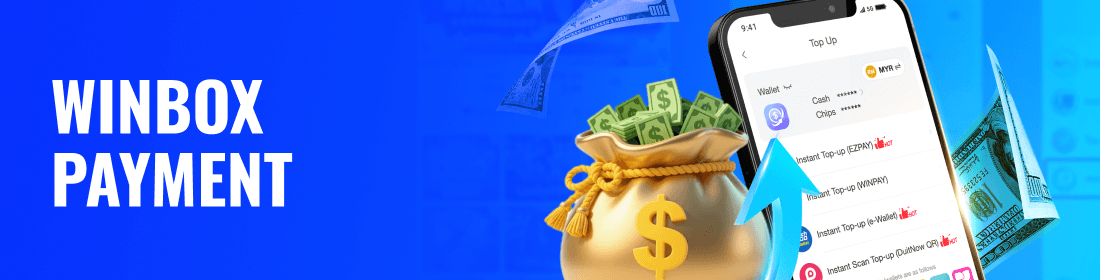
Before sending money, confirm the amount and recipient, note the displayed expiry or reference, and keep a receipt. Do not repeat a transfer while the first status is still unknown.








DuitNow
For DuitNow, use only the live QR or bank reference in the current cashier, approve the exact amount and keep both the bank reference and matching cashier request.
Learn More →
Touch ‘n Go
For Touch ‘n Go eWallet, verify the current QR or app hand-off, amount and merchant, then keep the wallet transaction ID with the matching cashier request before checking status.
Learn More →
Maybank2u
For Maybank2u or MAE, verify beneficiary, amount and reference, complete any Secure2u approval shown by the bank and keep the receipt with the matching cashier request.
Learn More →Deposit & Withdrawal at Winbox
For a withdrawal, verify the destination belongs to the account holder, review the displayed amount limits, submit once and keep the request ID. Processing depends on method, verification and current review.
Choose the route shown in your account
Use only a payment method displayed in the current cashier. Check the recipient, amount, reference, limit and approval screen, then save the receipt and verify the original status before retrying.
Reference, receipt and pending status
Overview
A deposit moves through five distinct checks: choose an available method, verify the amount and recipient, approve once, save the reference and track the original cashier status.
Method-specific guides
Use the DuitNow guide for bank QR or transfer references, the TNG guide for wallet approvals and transaction IDs, and the Maybank2u guide for MAE and Secure2u.
Choose the route shown in your account
Choose a bank or wallet route displayed in the current cashier that can be completed from an account in the verified account holder’s name.
Reference, receipt and pending status
If a deposit remains pending, verify whether the bank or wallet completed the debit, then match its transaction ID, amount and time to the original cashier request. Do not create another payment until the first status is clear.
Method-specific guides
Open the current page
Open the selected method from the cashier so the recipient, QR and reference belong to a fresh request; do not start from saved details from an earlier deposit.
Complete the required verification
Select a supported method and review limits, fees, verification and promotion eligibility.
Review the amount and limits
Confirm the exact deposit amount and check the method’s minimum, maximum and any daily limit before approving the payment in the bank or wallet.
Save the transaction reference
Keep the final transaction ID, date, amount and recipient from the bank or wallet together with the cashier request ID until the balance is credited.
Check the original status
Return to the original cashier request and read its status. If it is pending, verify whether money moved before creating any new payment.
DuitNow vs Touch ‘n Go: Which Should You Choose?
| Feature | DuitNow | Touch ‘n Go |
|---|---|---|
| Type | Real-time bank-linked payment network | Mobile e-wallet |
| Access | Usually completed through a participating banking app | Completed through the Touch 'n Go eWallet application |
| Records | Bank transfer or DuitNow reference | E-wallet transaction reference |
| Best for | Users who prefer bank-based payments | Users who prefer a wallet-based payment flow |
Common Problems and Troubleshooting
Problem 1: Deposit Pending
For a pending deposit, compare the bank or wallet’s final status, transaction ID and amount with the cashier request, then contact help without paying again.
Solution: Check the transaction reference and account history, then wait for the stated processing time.
Problem 2: Withdrawal Pending
A pending withdrawal is tracked by its withdrawal request ID and verified destination, not the earlier deposit reference; keep the two transaction types separate.
Solution: Review the receipt and current instructions, and provide accurate evidence to support.
Problem 3: Payment Method Not Showing
A method may disappear because of maintenance, account eligibility or current limits. Check the cashier again and use another displayed method only when no earlier transaction exists.
Solution: Return to the cashier, choose another listed method and do not reuse outdated details.
Choose the route shown in your account
- DuitNow — DuitNow is a bank-linked payment method; use the QR or reference shown in the current cashier and keep the transfer record.
- Touch ‘n Go — Touch ‘n Go eWallet may require an app hand-off or QR approval; keep the wallet transaction ID and cashier request together.
- Maybank — Maybank withdrawals should use the account details shown in the current withdrawal form and the same verified account-holder name.
- CIMB — CIMB can be selected only when it is listed as an available destination; confirm account number and holder name before submission.
- Public Bank — Public Bank can be used only when it appears in the current destination list; verify the account details before submitting.
- Hong Leong Bank — Hong Leong Bank is a local bank that may be available for selected transactions.
Last Updated: August 2026
Winbox Payment FAQ
Players use winbox duitnow as the available option, but every winbox payment method follows the current cashier instructions, with fees shown before approval. Make a winbox deposit via DuitNow, bank transfer or winbox tng (Touch n Go eWallet) after completing the displayed payment steps.
How should I choose a payment method?
Choose a route displayed in the current cashier that you can complete from an account or wallet in the verified account holder’s name.
Which payment details must match?
Check recipient, amount, account name and any reference before approval. Do not copy old payment details from a previous transaction.
What should I do while a deposit is pending?
Do not submit another payment. Keep the transaction reference and receipt, then compare the bank or wallet result with the cashier status before contacting help.
Should I repeat a payment that has not appeared?
No. Repeating a payment can create two valid charges. Confirm the first transaction status and reference before taking another action.
What happens during bank or wallet maintenance?
A route may be unavailable or update slowly. Use another displayed method only after confirming the first transaction did not complete.
Which payment record should I keep?
Keep the date, amount, recipient, transaction ID and final bank or wallet status. Hide unrelated balance and personal information when sharing it.
Is a deposit method the same as a withdrawal method?
Not necessarily. The available withdrawal destinations depend on the current verified account and cashier rules, even if a different route was used to deposit.
Review Payment Methods
Compare available methods by approval flow, supported account ownership, displayed limits and the records they provide, then choose one route for the transaction.
REGISTER NOW